Create an API Token
An API token is required to authenticate requests to the Velocert API. It allows your application or integration to securely access Velocert resources on behalf of your organization. Without a valid API token, API requests will be rejected.
To create an API token, log in to the Velocert platform and navigate to Settings → API Tokens. This section lists all existing tokens for your organization. If no tokens have been created yet, the list will be empty.

API Tokens section before any tokens have been created.
1. Generating a New API Token
To create a token, click the Generate a new API token button. You will be prompted to provide a descriptive name for the token. Choose a name that clearly reflects its purpose, such as where it will be used (for example documentation, development or production).
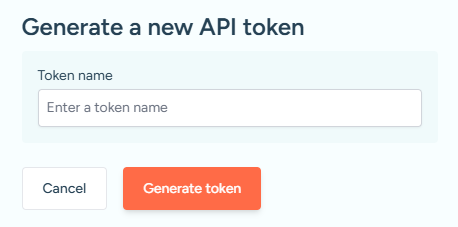
Modal for generating a new API token and assigning a descriptive name.
After entering the name, click Generate token. A confirmation window will appear indicating that the token was successfully created. This window also displays the API token value. Copy the token and store it in a secure location.
2. Managing Your API Tokens
Once created, the API token will appear in the API Tokens list. From this section, you can manage your tokens at any time. Tokens can be enabled or disabled as needed, or permanently deleted if they are no longer in use.
Disabling or deleting unused tokens is recommended to maintain the security of your organization’s API access.
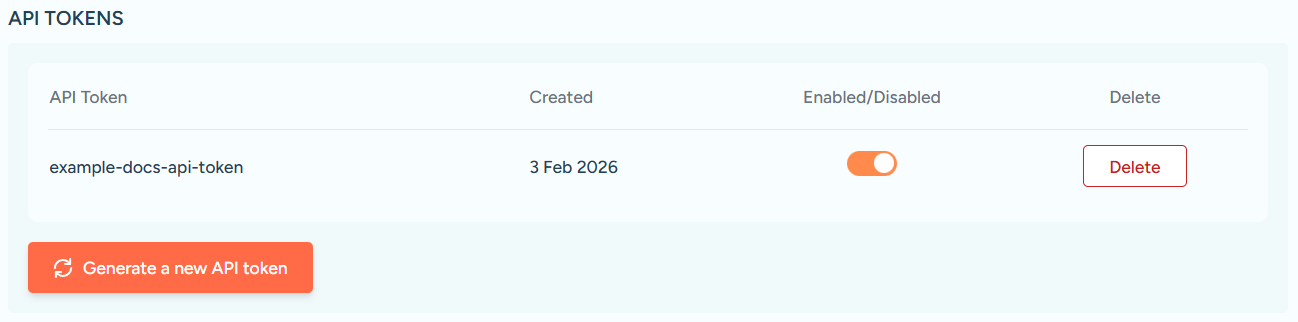
API Tokens section showing an existing token with options to enable, disable or delete it.