Custom Content
Custom content allows you to personalise the Front Page of a credential with additional text and image elements, such as titles, names or logos. These elements are added and managed from the left-hand panel of the Customise Template view.
Text elements are created using the Add Custom Text option under the Front Page section. Each new text element starts with a default placeholder and can be updated to reflect the information you want to display. Image elements are added through Add Custom Image, which allows you to upload images with a maximum size of 3 MB.
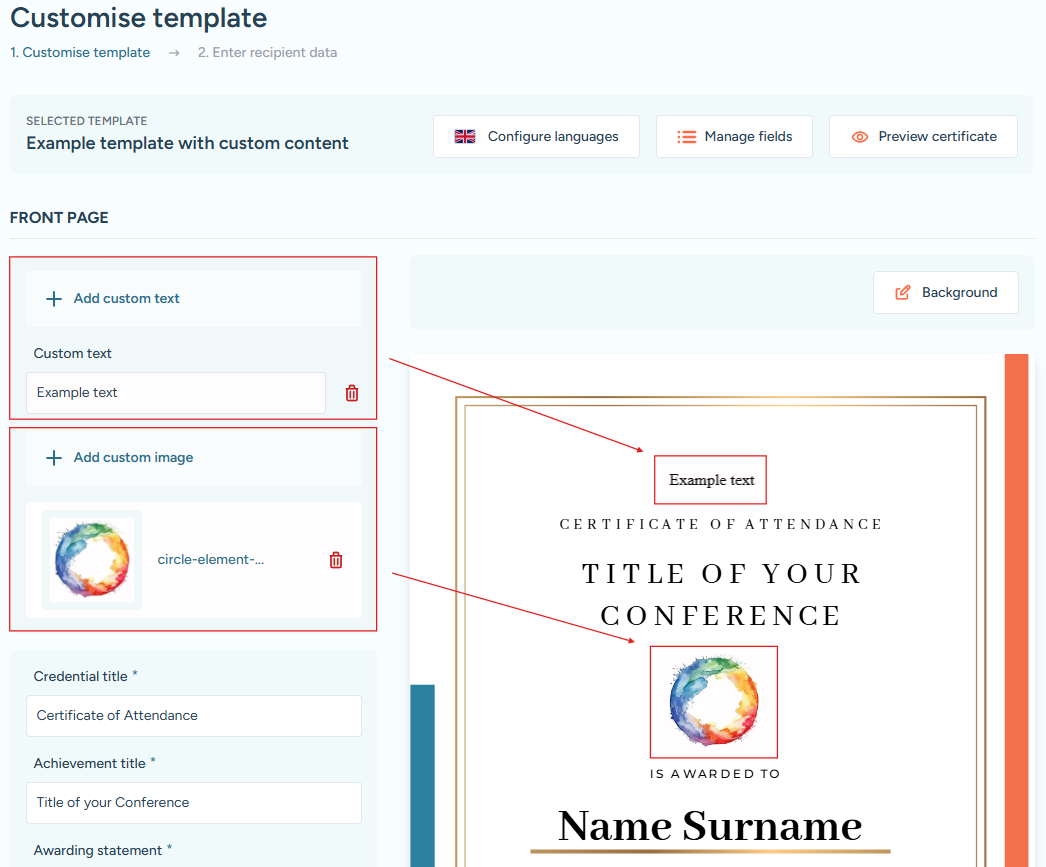
Controls for adding custom text and custom images, with the newly added element highlighted in the live preview.
Both text and image elements can be removed at any time using the Trash Bin icon next to the corresponding item in the left-hand panel.