Appendix Page Styling
The Appendix Page is designed to present structured credential information in a clear and readable format. To maintain visual consistency, the Appendix Page automatically inherits the background defined on the Front Page.
Text styling for the Appendix Page is configured using the Appendix text style button in the top-right corner of the Appendix section. This opens a modal where alignment and styling options can be set for category names, labels, and information sections.
These settings help improve readability and ensure that information is presented in a consistent and organised manner.
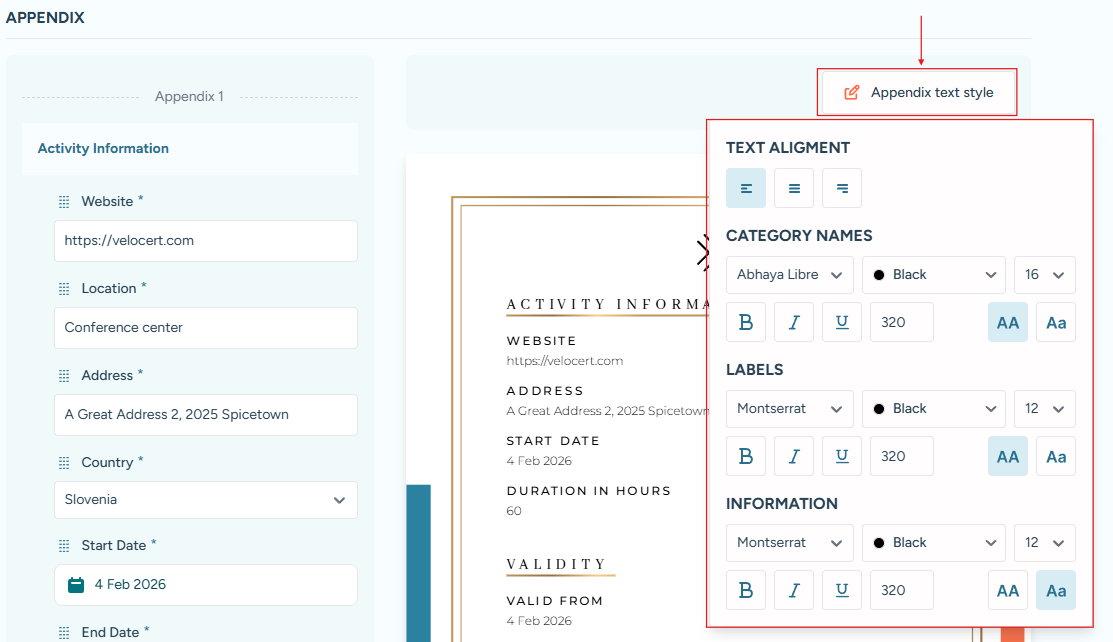
The Appendix Text Style button is located at the top-right of the Appendix Page, opening the styling modal for adjusting text alignment and formatting.