Element Positioning and Styling
Once text and image elements have been added to the Front Page, they can be positioned and styled to achieve the desired layout. The live preview plays a central role here, providing immediate visual feedback as changes are made.
Elements can be repositioned by clicking and dragging them directly within the preview area. This allows for precise placement without relying on fixed layouts or grids.
Text styling options become available by double-clicking a text element in the preview. The customisation modal provides controls for font family, font size, colour, text alignment, and bold formatting. These settings make it possible to establish visual hierarchy and consistency across the credential design.
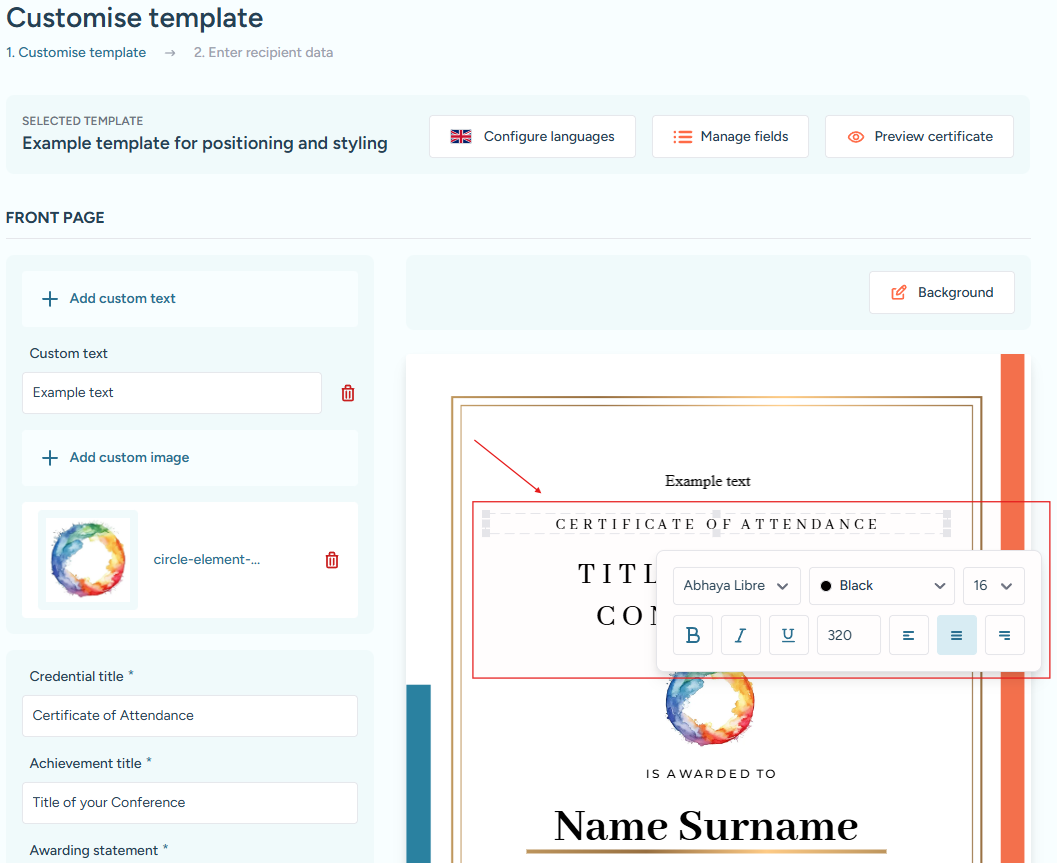
Double-clicking the credential title highlights the element with a border and opens the styling modal for text customization.