Background Customisation
The background sets the visual foundation of a credential and plays a key role in how the final document is perceived. Background customisation is handled directly on the Front Page within the Customise Template view.
From the Front Page section, selecting the Background button opens the background customisation modal. Here, you can choose to upload a background image, select from a set of predefined solid colours, or specify a custom hex colour code such as #FFFFFF.
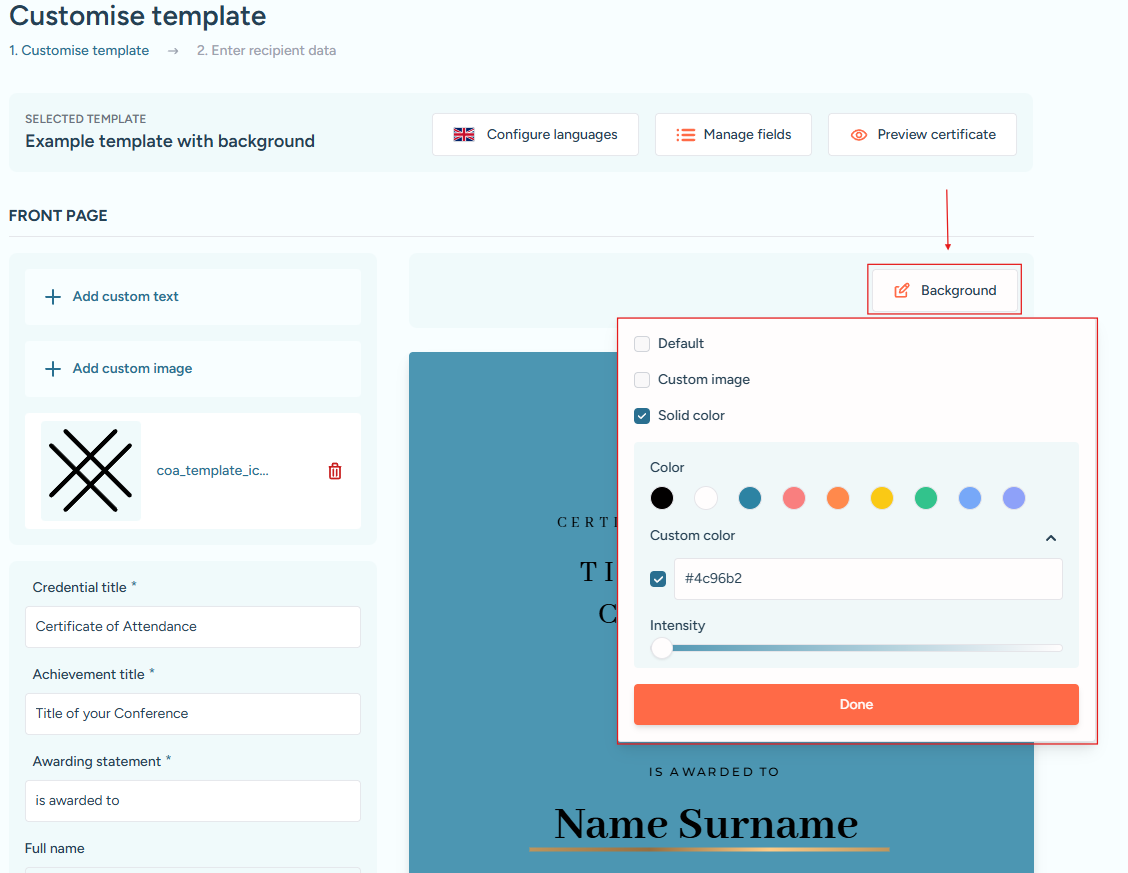
Background customisation modal with custom colour applied.
When working with solid colours, the colour intensity control allows you to fine-tune the appearance, making it easy to achieve a subtle or more pronounced visual effect. All changes are reflected immediately in the live preview, allowing you to experiment and fine-tune the background before saving the template.